1. How to access 4shared with FTP and SFTP quickly (using a browser)?
2. How to get full access to 4shared with FTP-manager?
3. How to get full access to 4shared with SFTP?
2. How to get full access to 4shared with FTP-manager?
3. How to get full access to 4shared with SFTP?
How to access 4shared with FTP and SFTP quickly (using a browser)?
- Write ftp.4shared.com or sftp.4shared.com
in the address bar of the browser and press “Enter”;

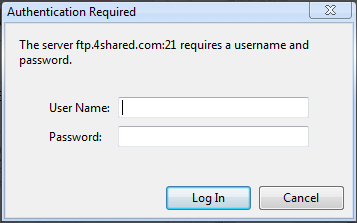
- Enter your 4shared login and password in the required fields;
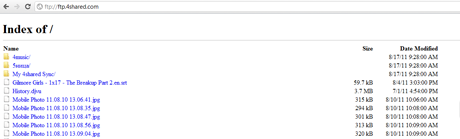
- You can now browse your 4shared account.
How to get full access to 4shared with FTP-manager?
- Enter ftp.4shared.com as “Host”;
- Enter your 4shared login and password in the required fields;
- You can now upload (use drag & drop feature, if you wish), download, copy, move and remove any of your files.
How to get full access to 4shared with SFTP?
- Download and install free SFTP-client (e.g. FileZilla);
- Enter sftp://sftp.4shared.com in the address bar of the browser and press "Enter";
- Enter your 4shared login and password in the required fields;
- See the contents of your 4shared account.
Testimonials:

Rupert, 23
“ Once I have decided just to test access to 4shared with FlashFXP. Everything worked great. Cool :)”
“ Once I have decided just to test access to 4shared with FlashFXP. Everything worked great. Cool :)”

Mike, 25
“ I had problems with web interface and used FTP to download files from my 4shared. That was a real relief for me.”
“ I had problems with web interface and used FTP to download files from my 4shared. That was a real relief for me.”